
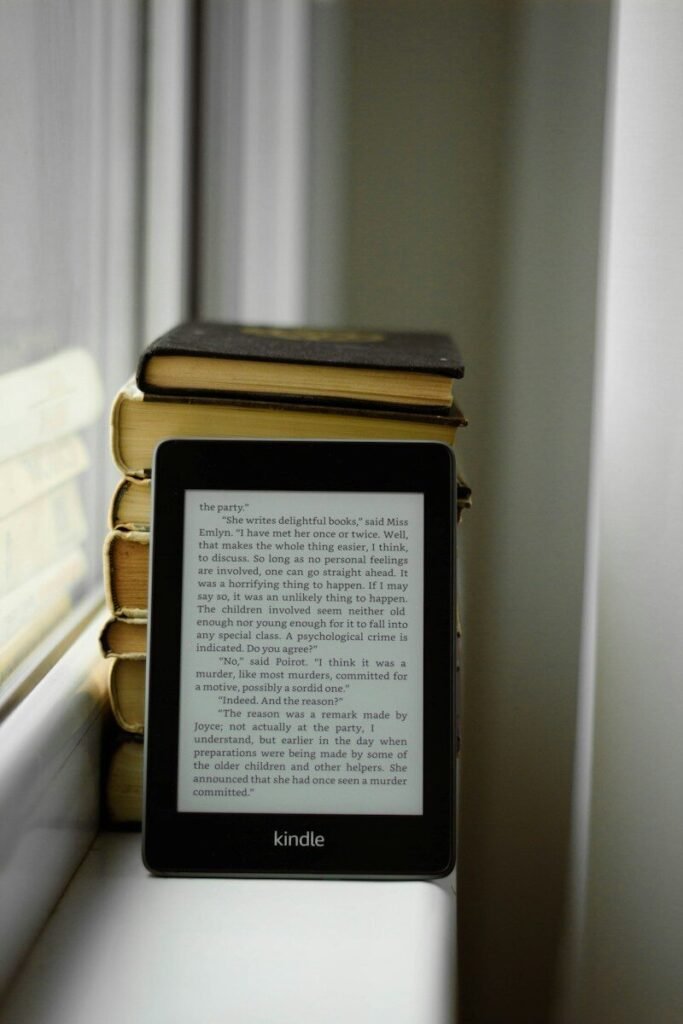
If you read a lot, you have probably stood at this fork in the road: buy a dedicated e-reader with an e-ink screen, or just read on the tablet you already own? Both can hold thousands of books, but they deliver very different reading experiences — and the wrong choice means either an expensive device gathering dust or years of eye strain. This guide compares e-readers and tablets honestly, across the factors that actually matter for readers, so you can pick the right one for how you read.
The Core Difference: E-Ink vs LCD and OLED
Everything flows from the display. E-readers use e-ink screens that reflect ambient light like paper and only use power when the page turns. Tablets use backlit LCD or OLED screens that shine light into your eyes, like a television. Neither technology is better in the abstract — they are optimized for opposite things.
How e-ink feels to read on
Reading on e-ink is the closest digital experience to paper. Text looks crisp and matte, glare is minimal, and your eyes relax the way they do with a printed book. Most readers notice the difference within an hour: less squinting, less fatigue, and an easier time reading for long sessions. Modern e-ink screens add warm front-lighting for night reading without the blue-heavy glow of a tablet.
How tablet screens feel to read on
Tablet screens are sharper in color and refresh instantly, which is wonderful for magazines, comics, and illustrated books. But hours of backlit reading can tire eyes, especially in dim rooms. Night modes and warm color filters help, but they cannot change the fundamental fact that you are staring into a light source.
Battery Life: Weeks vs Hours
This is the most dramatic practical difference. An e-reader sips power — a single charge commonly lasts weeks of daily reading, because e-ink only draws power on page turns. A tablet, with its bright screen and hungry processor, typically needs charging every day or two with heavy use. If you travel, commute, or simply hate hunting for chargers, the e-reader wins decisively.
Reading in Sunlight and at Night
E-ink screens love bright light: the more ambient light, the crisper the text, which makes e-readers unbeatable at the beach or on a sunny patio. Tablets wash out in direct sun and force you to crank brightness. At night the tables turn slightly — tablets can dim very low and show warm tones, while e-readers rely on their front light. Both are fine in the dark; only the e-reader is great in the sun.
Distraction: The Hidden Deciding Factor
Here is the argument that converts more people than any spec sheet. A tablet is a portal to everything: notifications, social media, email, and games, all one tap away from your book. An e-reader does one thing — books — and most models have no browser worth using. Readers who struggle to focus consistently report finishing more books on an e-reader. If deep reading is the goal, the device that cannot distract you is a feature, not a limitation.
When the tablet’s versatility wins
Versatility cuts both ways. A tablet handles PDFs with complex layouts, color magazines, comics, audiobooks, library apps, and note-taking in one device. If you read across many formats and do not want to carry two devices, the tablet’s flexibility is genuinely valuable.
Weight, Size, and One-Handed Reading
Dedicated e-readers are lighter and smaller than almost any tablet — typically around 150 to 220 grams versus 450 grams or more for a tablet. That difference matters enormously during long reading sessions: an e-reader can be held in one hand indefinitely, while a tablet becomes a workout. If you read in bed, on trains, or while standing, lightness is a daily comfort, not a luxury.
What About Content and Formats?
Both devices read the major ebook formats and connect to the big bookstores and library lending apps. E-readers sometimes need a conversion step for files outside their ecosystem, while tablets run every reading app natively. For standard novels and nonfiction, both are seamless. For PDFs — academic papers, textbooks, scanned documents — the tablet’s larger screen and faster rendering make it the better tool, and some large-screen e-readers exist specifically to close that gap.
Library books and subscriptions
Borrowing ebooks from public libraries works on both platforms through lending apps. Subscription reading services also run on both. Check that your preferred store or library app is supported on the specific e-reader you are considering, since dedicated readers are more locked into their ecosystems than tablets.
Price: What Your Money Buys
Entry-level e-readers cost significantly less than tablets, and even premium e-readers with large screens and stylus support typically undercut a mid-range tablet. But the comparison is slightly unfair: the tablet replaces several devices, while the e-reader does one job. Think of the e-reader as a specialist tool — cheaper, because it refuses to be anything else.
Who Should Buy an E-Reader?
Buy an e-reader if you read books — mostly novels and nonfiction — for an hour or more a day, read outdoors, travel light, get distracted easily, or want a device your kids can read on without internet temptations. The classic buyer is the person who finishes a book a week and wants the reading itself to be as comfortable as possible.
Who Should Just Use a Tablet?
Stick with a tablet if you read mostly magazines, comics, PDFs, or textbooks with diagrams; if you want one device for reading, video, and browsing; or if you read in short bursts rather than long sessions. Casual readers who finish a book a month rarely need a dedicated device.
The third option: both
Many serious readers end up with both — an e-reader for books and a tablet or phone for everything else. Since basic e-readers are relatively affordable, this is not the extravagance it sounds like. Start with whichever matches your dominant reading habit, and add the other only if a real gap appears.
Features Worth Paying For
If you choose an e-reader, prioritize a warm adjustable front light, enough storage for your library, and waterproofing if you read near water. Screen size is personal: six inches is the portable classic, seven inches suits most readers, and larger screens serve PDF and manga readers. For tablets used as readers, prioritize a high-quality display with good low-brightness performance and a comfortable weight.
The Bottom Line
E-readers win for pure book reading: easier on the eyes, lighter in the hand, distraction-free, and charged for weeks. Tablets win for versatility: color content, PDFs, apps, and one device for everything. Match the device to your actual reading — long book sessions point to an e-reader, mixed media points to a tablet — and you will not go wrong.
Frequently Asked Questions
Can I read library books on an e-reader?
Yes. Public library lending apps work with most major e-readers, letting you borrow ebooks just like physical books. Setup takes a few minutes and then borrowing is seamless.
Are e-readers bad for the environment compared to tablets?
Both have manufacturing footprints, but e-readers use far less energy in daily use and tend to be kept longer since their job never changes. Reading digitally generally beats printing once you read enough books to offset the device.
Can tablets damage your eyes?
There is no evidence that tablet screens cause permanent eye damage, but prolonged use can cause digital eye strain — dryness, fatigue, and headaches. The 20-20-20 rule and warm night modes help; an e-reader sidesteps the issue for book reading.
Do e-readers support audiobooks?
Many modern e-readers support audiobooks over Bluetooth headphones, though the experience is more basic than a dedicated audiobook app on a tablet or phone. If audiobooks are your main format, a tablet or phone is the better player.
Should kids get an e-reader or a tablet?
For reading, an e-reader: it is lighter, tougher on battery, and free of the distractions and internet risks of a tablet. For schoolwork involving apps and video, a tablet is the more practical choice.